

 by
by 

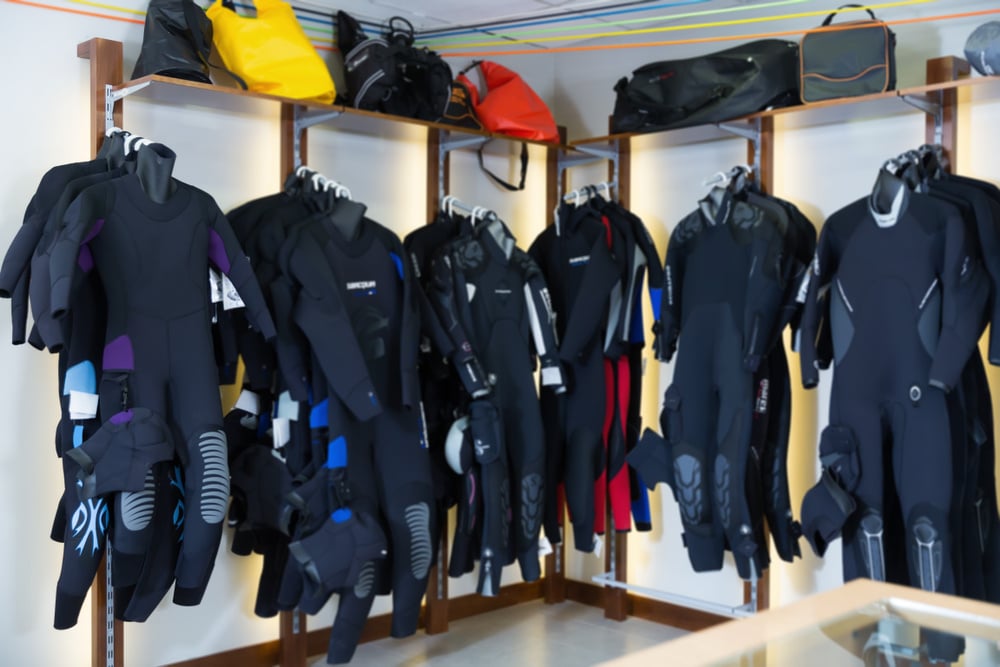
When someone walks into your scuba shop looking for a new wetsuit or dive gauge, having the right equipment available is the difference between making the sale and sending a customer to your competitors.
Stocking and managing gear is critical for scuba shop success — but traditional retail inventory management advice won’t help you get there. Instead, you need specific tools and strategies.
In this blog, we’ll explore what makes scuba shop inventory management unique and share the top five tools you need to stock the new equipment, rental gear, and repair parts your customers need.

Scuba Shop Inventory Management: 4 Unique Challenges
Running a scuba shop isn’t like running a traditional retail store. You’re dealing with industry-specific factors, including:
- Serialized equipment: Regulators, buoyancy compensator devices (BCDs), and dive computers are serialized units. Manufacturers often require documented maintenance records tied to a specific serial number for warranties, and customers expect you to know when their gear was last serviced.
- Rental management: Along with selling brand-new equipment, most scuba shops rent equipment to tourists and casual divers. This requires careful tracking of which customer rented which piece of gear, the condition of each unit, and when units need to be serviced or retired.
- Repair parts and accessories: Managing service department inventory like O-rings, hoses, batteries, and other small parts can be a nightmare. You need a specific solution to track parts inventory and usage to ensure quick maintenance and repair turnarounds.
- Seasonality: In the scuba world, customer shopping habits change with the seasons. To stay profitable and meet demand, you need a smart stocking strategy.
If you’re trying to manage your scuba shop inventory using a spreadsheet or generic retail point of sale (POS) system, you’re probably all too familiar with these challenges.
But there’s good news: Tools specifically designed for scuba shops can help you tackle them, save time, and boost your bottom line.
Let’s take a look at five inventory management tools every scuba shop needs.
Related Read: 6 Best Scuba Gear Brands To Stock in Your Dive Shop
1. Real-Time Inventory Monitoring
Still counting dive masks by hand and tracking stock levels in a spreadsheet? It’s time to upgrade to scuba shop inventory management software with real-time reporting.
This tool provides instant visibility into your stock levels, showing you exactly what’s available to purchase or rent at any time. Cloud-based solutions take things a step further, letting you check inventory levels, adjust prices, and even create purchase orders from any internet-connected device.
This helps you prevent stockouts, eliminate costly overstocking, and avoid selling or renting a unit that’s not actually available in store.
Expert tips:
- Stay on top of inventory receiving. When new equipment arrives, scan every item using a barcode scanner. This keeps the receiving process fast and error-free.
- Organize products clearly in your system. Categorize gear by type and status. This makes it easy to look up rental and retail fins, wetsuits, and regulators.
- Set low-stock alerts. Never run out of popular items like dive computer batteries and mask straps by setting low-stock alerts to remind you to reorder.
2. Rental Equipment Management
Rentals are a valuable source of revenue for scuba shops — but only if you offer a simple, stress-free experience for rental customers.
To ensure your rental units are always accounted for and ready for use, invest in a scuba shop POS solution with built-in rental tracking.
This helps you monitor the status and condition of each piece of gear in your rental fleet. You can identify which units are currently with customers, which are available for rental, and which are due for maintenance and retirement.
Expert tips:
- Tag rental units separately from retail stock. Don’t try to make generic retail POS inventory and sales features work for your rental fleet. Instead, use rental-specific software.
- Track equipment usage and condition. Equipment failing on a customer in the water is a disaster. Avoid it by tracking dive counts or rental days based on unit serial number.
- Monitor rental periods and due dates. Set up your POS system to monitor rental windows, identify missing rental equipment, and automatically charge late fees to customers’ accounts. This reduces the communication workload for you and your team.
Related Read: How To Manage Dive Equipment Rentals
3. Work Orders and Repair Tracking
Your scuba shop’s service department can be highly profitable — but it also complicates inventory management.
You need a way to monitor parts in stock and track parts usage to ensure your technicians always have what they need.
Your dive shop POS should let you create work orders and pull the O-rings, hoses, or batteries necessary to complete them.
Expert tips:
- Track repair parts separately from retail inventory. Repair parts shouldn’t share a bucket with regular retail items like fins and goggles. Instead, tie them directly to work orders for smoother tracking.
- Tie every work order to a serial number. When a customer brings in a regulator for annual service, log the work against that unit’s specific serial number. This means simpler paperwork for you and your customers.
- Flag reorder points for common service parts. Set low-stock alerts for the parts your service department uses most to keep repair operations running smoothly without interruptions.
4. Vendor Catalog Integration
Dive gear comes from a small set of specialized manufacturers, and reordering shouldn’t mean rekeying product data by hand every time you restock.
Scuba shop inventory management software with a built-in vendor catalog pulls in product details, images, and cost information directly from your suppliers.
This makes it quick and easy to reorder bestsellers, add new products to your selection, or update prices to stay profitable.
Expert tips:
- Keep a close eye on vendor costs. When your suppliers increase their prices but you don’t, your profit margins shrink. Vendor catalog integration keeps you up to date on the wholesale cost of all your products, helping you maintain margins on every sale.
- Set up automatic reorder points. Running low on your top-selling masks and dive accessories? Combining vendor catalog integration with automatic reordering saves you valuable time and prevents stockouts.
- Keep product data current as manufacturers update lines. Regulator and BCD lines get updated or discontinued regularly. A live vendor integration keeps your system showing accurate current models and pricing, instead of you finding out a part number changed only after placing an order.
5. Sales Reporting and Demand Forecasting
Scuba shop sales aren’t always steady. Demand for certain rental and retail equipment changes based on your area’s diving season.
To stay profitable year-round, it’s essential to stock with these seasonal shifts in mind. Your scuba shop POS system should monitor sales, analyze historical data, and help you spot trends and forecast demand.
Expert tips:
- Compare reports to your class and dive trip calendar. Certification classes and dive trips drive significant demand for rental and retail equipment, so stock your scuba shop in alignment with your event calendar.
- Don’t forget about smaller purchases. Busy summer months increase demand for accessories like reef-safe sunscreen, snorkeling gear, and even small souvenirs. Stock these items well before tourists start looking for them.
- Use restocking data to plan ahead of group trips. If you run or sell spots on dive trips, cross-reference your booking list with gear rental and retail history so you can stock travel-specific items like compact travel BCDs or waterproof bags before the group leaves, not after they ask.
Simplify Scuba Shop Inventory Management With Dive Shop 360
Ready to save time and stress with a simpler scuba shop inventory management plan? It starts with the right tools.
Dive Shop 360, our all-in-one scuba shop POS solution, includes all the features you need to manage inventory like a pro, including:
- Real-time, cloud-based inventory tracking
- Rental equipment management
- Work order tracking
- Vendor catalog integration
- Low-stock alerts and automatic reorder thresholds
- In-depth reporting and analytics
Take Dive Shop 360 for a swim by scheduling a live, personalized demo with one of our dive shop experts today.
